Showing posts with label giostock. Show all posts

25 May 2012

[DEV][Rom & Kernel][IMAGINARY ICS GIO][Multi Language]

Original thread@cooper for this ROM 
http://forum.xda-developers.com/showthread.php?t=1537913

I've ported it to GIO

* INTRODUCTION
you still love the Ics stock roms ? you fall in love with that roms and cant leave it ?
This is The New IMAGINARY ICS ROM originally made by AhMed HamouDa (thanks to him)

- For all Arab people now the ImaGinary supports arabic offcially

* ROM INFORMATION :
- Based on stock DXKT5 2.3.6 Galaxy Ace
- Supported 55 languages (Europe, Asian, Middle east)
- Default language: English
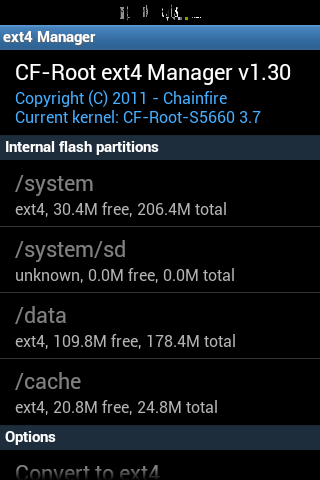
- System file is in ext4 format
- Pre-rooted and Pre-deodexed
- Overscroll glow and CRT OFF effect enabled
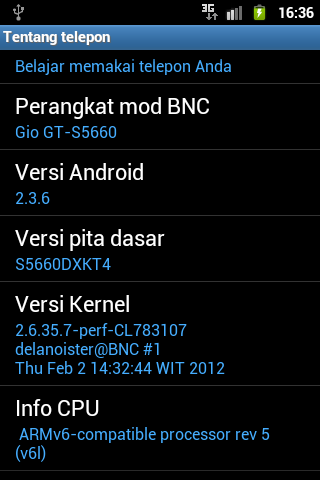
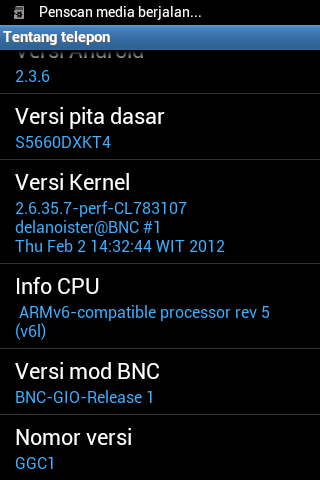
- Used CF-root kernel 1.0 #Delano
- Modded TouchWiz Launcher 5x4, 5 dock
- 14 toggles mod included (flash light not working LOL just kidding)
- Overscroll glow and CRT animation effect
- Ice cream sandwich bootanimation
- Ice cream sandwich keyboard and wallpapers
- Flash Player supported v.11.1.102.59 (not working on opera mini)
- RTL Fix for Arabic Ardu Farsi and Hebrew users (maybe )
- Smooth scroll mod
- Hacked 'hosts' file
- And many other features...


* WORKING :
- RIL
- Data
- SMS
- BT
- Wifi
- GPS
- fm radio
- Camera
- etc

* Not working :
- haven't found, plz tell me if there some bugs


* Mount System Before Flashing Any Patch
- For Beats Xloud download this
  http://www.mediafire.com/?p2qa3s3veqqq23v
- For ImaGinary ICS Theme Patch download this
  http://www.mediafire.com/download.php?rrq977k2vy1ueq5
- For Advance App Package download this
  http://www.mediafire.com/download.php?g1ylwx5wggwgkax
- For Swype Arabic download this
  http://www.mediafire.com/download.php?c42bu8d47gu7kp1
- For Swype Europe download this
  http://www.mediafire.com/download.php?fs8t28izbn1tm6r
- For Samsung keyboard Arabic download this
  http://www.mediafire.com/download.php?v58p54m54955u3s
- For Samsung keyboard Europe download this
  http://www.mediafire.com/download.php?u3rin3ldmwjjwzw

* REQUIREMENTS & INSTALL :
- Flash Through CWM/RZR
- We recommend be on a stock rom before upgrade to ImaGinary ICS
- wipe cache, delvic cache and make factory reset 2 times before and after flashing ...


* To Use Adrenaline Boost?, Best use before Gaming :
1- Open terminal emulator or download this

    https://play.google.com/store/apps/details?id=jackpal.androidterm&feature=search_result
2- type: 

su
boost

* DOWNLOAD ImaGinary ICS GIO : here
md5sum:
f7063f134c279be07a3cc8a59906ea27

* DOWNLOAD Kernel update for Imaginary : here
md5sum:
7ea48c4d0228fbcc8949feaf30b37fda

Info:
Kernel updates
add 768 & increase performance


*CREDIT :
Delanoister for porting
AhMed HamouDa for his ROM (ported)
Devilsking for the ICS theme
MIUI Team - for MiLocker
Noghy - for themeing Logos and pngs
skynet28 - with guide of disabling journaling
slaid480 - with great Ram management script
imbawind - for Adrenaline Boost
Gadgetcheck - for TurboBoost
fuss123 and RockoDev - for Beats Xloud
shardul_seth - for his link to guide of 14 toggles mod
wonokairoen - I'm using some icons in his ICS theme (with his permission)
raiderx77 - for his video player
chungviet - his modification roboto font (from tinhte.vn)
AndroidON - for smooth scroll mod
And Great Thanx For The ImaGinary Rom Testers


- If I forgot someone, plz contact me and I will give credit in this post


THREAD @GIOCOMM
[DEV][Rom & Kernel][IMAGINARY ICS GIO][Multi Language]

DEV][ROM+Kernel][update:260612] D3ll's Gio 1.2 (Android 2.3.6)


D3LL'S GIO ROM v1.2


Working:
-Everything till now

Not working:
-none

Features:
Android base 2.3.6 Samsung Stock Region Indonesia
use ext4 system
pre-rooted (updated su)
busybox pre-installed (updated bb)
bash installed
CRT Animation
Custom transition
Custom bootanimation
Twlauncher fully mod
BLN supports
Overclock & Underclock (add 672 748 768 787 till 998 MHz)
Default Clock at 800MHz
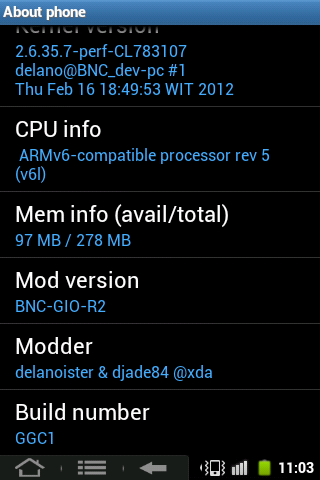
Delano CF-root 1.1 Kernel 2.6.37.6 improvement
Deodexed
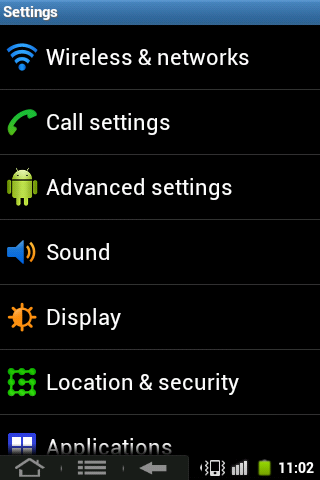
ICS Style settings

Changelogs of ROM & Kernel (v1.2)
25/06/2012:
  • Inside the package while u are installing it
*Note: Please read carefully!

For Changelog
05/05/2012:
  • swipe to remove notification
  • 10 toggles bar
  • remove swipe to unlock
  • advanced power menu
  • gps tweaks
  • transparent background
  • play store FC see on pageone for solving
  • etc


Download ROM link:
here  (v1.2)


Kernel update 1st (v1.2)
here


http://d-h.st/h9r (v1.1) ( outdated  )

md5sum
26ebc3e1920f85cd21028dedf333463c


*U need to install this one 
http://d-h.st/XQR ( outdated  )

md5sum
8c0c6d90b47310273ee8178279bf9264


http://idws.us/befhcai (1.0 outdated  )

Patch for uv modules & adreno libs
http://d-h.st/yHd

md5sum
73c9767cd7a0949a05c84682ee4420ba


Patch features (1.0 only):

http://www.mediafire.com/?225habp565f0jgu by wiendyn

Custom Theme (1.0 only)
http://db.tt/6VxtsKfI by Ozybieber


Please make sure check your md5sum is match!


DON'T Mirror The Files!
THX to Consider!


How to Install:
1. Download & Place this rom on your root sdcard
2. Go to recovery mode
3. Wipe data/cache (factory reset)
4. Install zip from sdcard, install rom (cwm) 
 | Install menu, install rom (RZR)
5. Wait till installation completed
6. Reboot & Enjoy it! ;)


Thx to

Samsung for source & device
Chainfire (for awesome cf-root)
Amarullz (for AROMA Installer)
Ketut Kumajaya
djade84
ozybieber
wiendyn
Phiexz
saldymhmd
tirta07
BNC
And, All people who supports me
THREAD @GIOCOMM 

5 Feb 2012

[DEV][ROM & Kernel] BNC-GIO-v1.0-R2 (Android 2.3.6)

By Unknown | At 10:50 pm | Label : , , | 0 Comments
This is a custom ROM for GIO which its base name is taken from our group 


Working:

2D/3D Acceleration
RIL
Headset
Audio
Sensor
Bluetooth
Wifi
USB Mount
USB Tether
Camera
GPS
Vibrate
Wifi Tether
FM Radio

Not Work:
-

Known issue:
-Screen on aint activated


Changelist 02/16/2012:

Take a base from Samsung Stock (2.3.6) & CM (2.3.7)
Added Theme Selector, u can use CM Themes (reference from CM ROM)
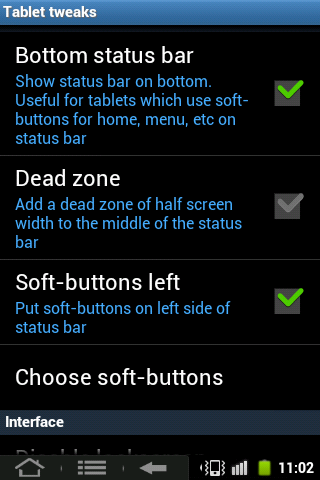
Added Tablet Tweaks (Soft-button) [ref from CM ROM]
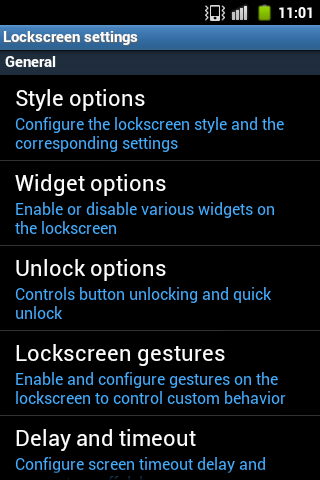
Added lockscreen styles (ref from CM ROM)
Merge reboot, reboot recovery, reboot download into one option [reboot]
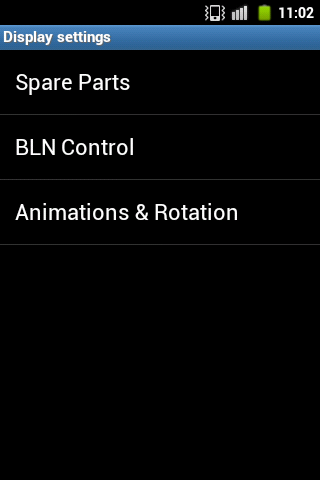
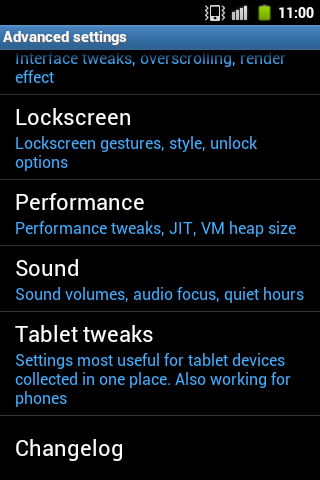
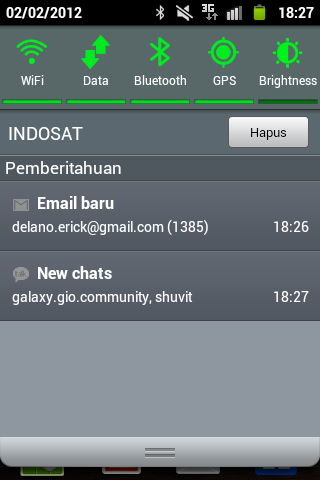
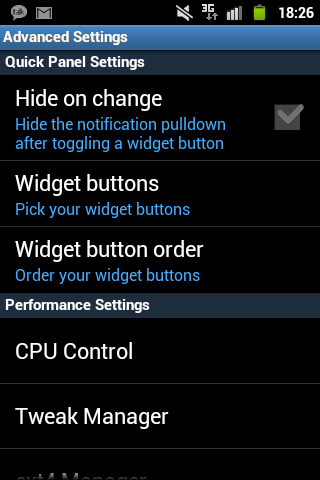
Added BLN Control, animations on Advanced Settings > Display Settings
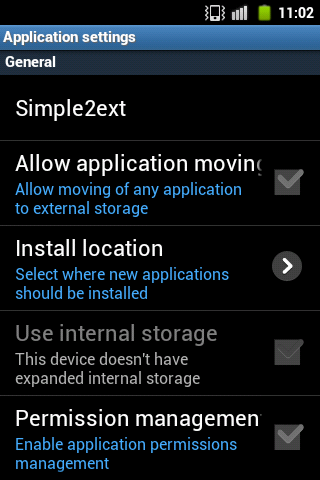
Added s2e as a default app2sd on Advanced Settings >
Applications (recommend)
Added rotate animation
use Android keyboard as default
use MIUI File Manager
use MIUI Gallery
use MIUI Music

Changelist 02/02/2012:

Android base 2.3.6 Samsung Stock Region Indonesia
use ext4 system
pre-rooted
busybox pre-installed
bash installed
CRT Animation
MIUI transition
Custom bootanimation
Twlauncher fully mod
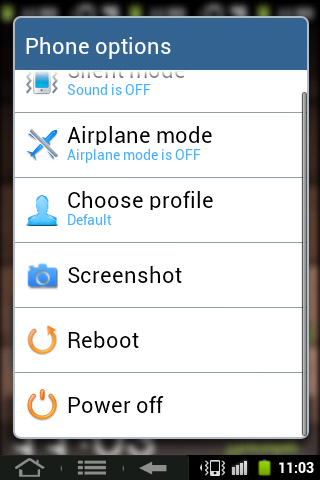
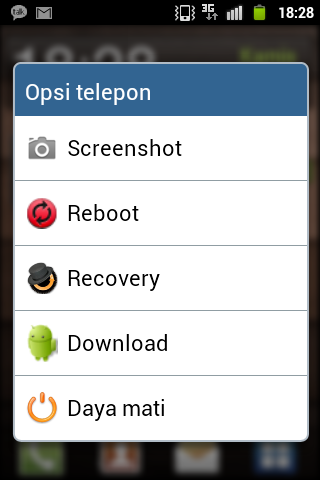
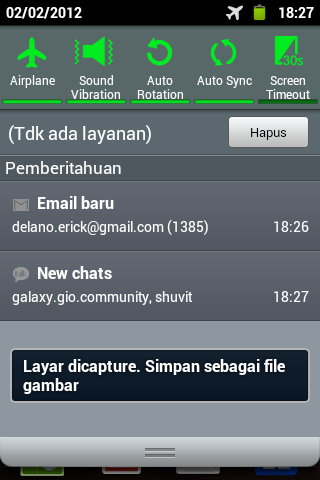
added extended power options : *Screenshot, Reboot recovery, Download.
Overclock
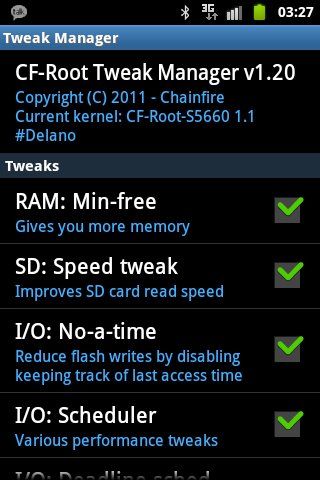
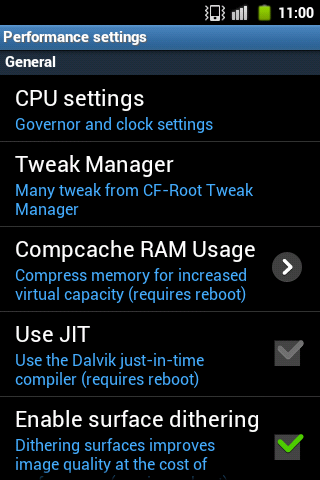
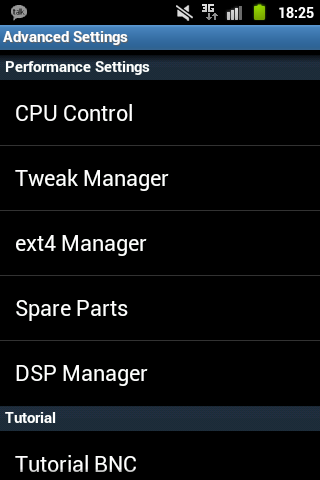
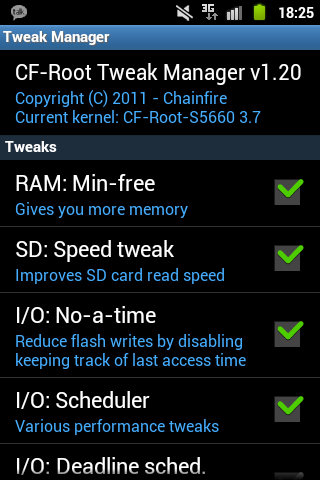
**CF-ROOT added (Tweak manager & ext4 manager include)
Deodexed
Zipaligned
GPS
Compass
Market 2.3.x****
Auto-rotate
Include CWM 5.0.2.7
***Lib modules: cifs, tun, zram, cpaccess, dma_test, evbug, librasdioif (updated), lzo_compress, lzo_decompress, oprofile, reset_modem, scsi_wait_scan.

Info:
*screenshot u can hold home+power button, and tap screenshot on power options
**u need to active this cf-root by typing these commands on terminal :

sh-3.2$ su
sh-3.2#cd /system
sh-3.2#sh properties.sh
sh-3.2#reboot

or through root exp, just tap one time properties.sh file on /system, and press execute.

***u can find these all on /system/lib/modules
****Market update is disabled (on BNC-GIO-v1.0-R1)
If u wanna your market update enables, u need to rename marketupdter.apk.bak to marketupdater.apk, go reboot.

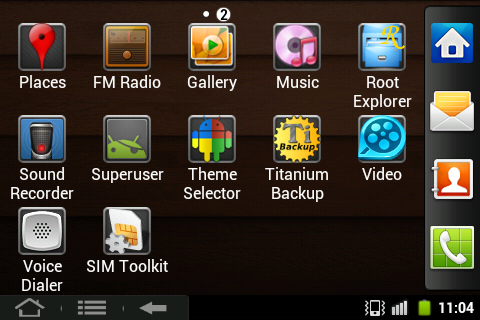
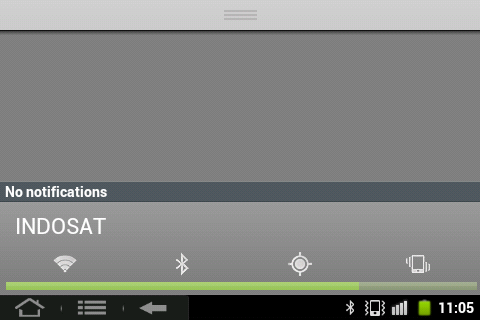
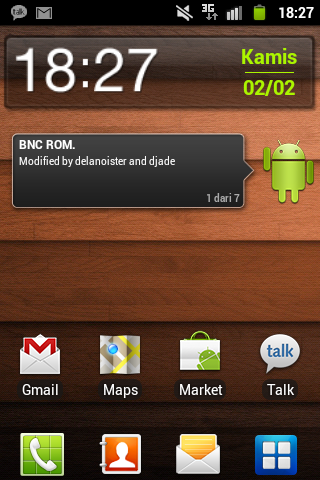
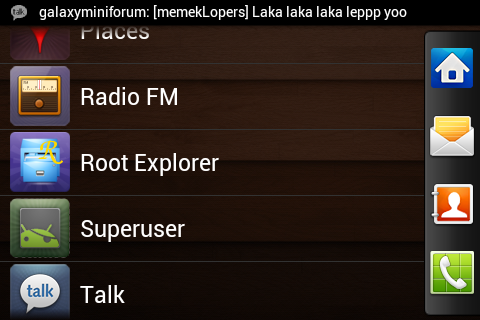
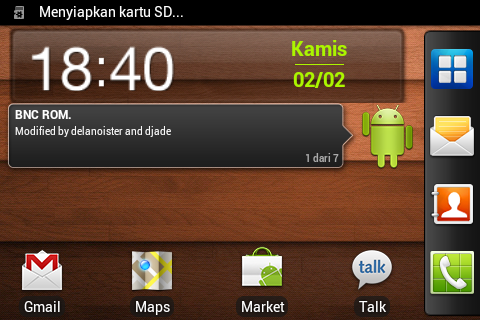
Previews BNC-R2:


Previews BNC-GIO-R1:


-Download ROM from here << BNC-GIO-v1.0-R1 [pass: BNC]
 make sure u check your md5sum:
 D8066DB792A0FDEFD02A7AF06697D481

-Download ROM from here <<< BNC-GIO-v1.0-R2
 make sure u check your md5sum:
 A9397E765BD8DD4C0606C837FF33C109
-Extract the file u've downloaded into one directory
-Open Odin 4.42, place GIO.ops on ops column
-Check one package, and place ROM u've downloaded into one package column
-Turn off your phone, and get into download mode (press home+power+vol down)
-Connect to your PC, and click start.
-Wait for flashing* (5:35 MAX)
*Do full-wiping on recovery mode start (wipe data/cache)

And, do update with this file (recommend):
http://www.mediafire.com/?upi54572sxsjopz

md5sum:
065b18568160deefce53c4be060022e6

BNC-patch-updater (only for R1):
This updater is include a2sd script and binaries.
If u use l2sd, I recommend u to remove it (l2sd app, l2sd script)

Install this updater from recovery mode
How to:
  1. Download updater from here [pass: BNC]
  2. Go to recovery mode (press Home+power button, while your phone's off)
  3. Mount system first
  4. Go to install zip from sdcard
  5. choose file u've downloaded, and wait for installation complete
  6. Reboot, and done!
  7. Enjoy it!
How to (from RZR):


  1. Download updater from here [pass: BNC] [it's only for BNC-R1]
  2. Go to recovery mode (press Home+power button, while your phone's off)
  3. Mount system first (mount menu)
  4. Go to install menu from sdcard
  5. choose file u've downloaded, and install BNC-patch-updater.zip, wait for installation complete
  6. Reboot android, and done!
  7. Enjoy it!

or u can look on video method for one package flashing:
here

Thx to waqasshahzad1986 (for video guide)

DON'T MIRROR MY FILES, PLEASE!
THX to CONSIDER


THX to

CM Team & Samsung
Phiexz
Squadzone
Tj_style (for reference about his twlauncher (LDPI), that can make us made for MDPI)
Adam Roland (for bootanimation)
tux-kid's (for reference about MIUI mix transition effect)
lidroid (for reference about quickpanel)
Me (Delanoister & Djade (for making this ROM  )
All BNC & All devs & All members

My Original Thread @XDA

23 Oct 2011

By Unknown | At 5:54 pm | Label : , , | 0 Comments
Here is CusROM and Kernel custom.
How to Inject Hyriand kernel on Simpli 1.3+cf-root kernel

1. Simpli 1.3 Firmware, u can download it from here 
2. U flash your Galaxy Gio GT-S5660 with Odin Multi Downloader v4.42 that u can download from      here
3. U need to download scripts to activate cf-root kernel that u can download from here
4. U need cf-root file, too. U can download it from here
5. U need terminal emulator to activate tweak manager that u can download it from here 
6. After u flashed it, u install root explorer that u can download from here
7. U inject the scripts to system/etc/init.d with root explorer. Then, set permissions for all to 777 or
    rwxrwxrwx.
    And, reboot your HH.
8 .Go to recovery mode by pressing Home+Power On/Off buttons
9. Install cf-root kernel u downloaded. Go to apply update zip from sdcard, then choose file cf-root
    (xrecovery).
    Mount system first, then go to install zip from sdcard, choose file cf-root (CWM)
10.Reboot your HH.10.Go to terminal.
Type this command :
su
cd /system
sh properties.sh

Back, and go to Tweak manager. Check all, except Kernel Scheduler and DT:Auto Start. Apply changes, then, u reboot your HH anymore

Enjoy it, but DWYOR (Do with your own risk) !

CMIIW ^_^

Or u can use this file, but for CWM users
U can follow these instructions below :

U need to install CWM recovery with ODIN that u can download from here
After that, u download the file from here
Then, u extract it to your sdcard/clockworkmod/backup (create folder and name it like that, if u don't have the folder)
Go to recovery mode by press power and choose recovery.
Mounts and storage, mount system. Go back,
backup and restore, restore , then u choose the file u downloaded :D

Enjoy it!

CMIIW ^_^

19 Oct 2011

How to upgrade your Samsung Galaxy Gio to GB KS2 2.3.5

Hey, guyz!
I wanna tell ya bout how to upgrade your Galaxy Gio GT-S5660 to Gingerbread Official KS2 2.3.5.

Ok, let's to the case!
:D

First, u need to download GB DXXKS2 Stock ROM from here.
wait till finish downloaded.
After that, u open the file, extract to folder u wanna.
Open Odin 4.42 that u can download it from here
Fill Select OPS with GIO OPS.
and,
Fill other files like these :

BOOT : APBOOT........
PHONE : MODEM......
PDA : CODE......
CSC : MULTI-CSC........
Let EFS & One Package blank

If u done,
u'll need to do just like below.

Turn off your phone.
Then, connect your phone to PC/Laptop
Click Start, and wait till "pass" seems.

Good Luck!
CMIIW ^_^

17 Oct 2011

Gingerbread DXXKP6 Indonesia Autodeodexed+DT activator, cf-root kernel

Your HH must be Gingerbread 2.3.4 Stock ROM
that u can download it from here. 

AND MUST PARTITION YOUR SDCARD !!

THIS IS NOT FOR CWM USERS!!!! 
"Deodexed using ROM CLeaner from HTC device"


U can download the files from here.


Extract file sign_Gio_Customized_By_Your_Self.rar

You must set Language and Internet Connection
FIRST ! ! ! !

then do below

Place this 2 files zip into your sdcard

go to recovery mode by press Home and power when Device off

update with signed_GT-S5660_Auto_Deodexing.zip First!!!

then do not reboot ( IF REBOOT YOU MUST QUICKLY PRESS HOME AND POWER AGAIN TO GOTO RECOVERY MODE )

update again with signed_GT-S5660_Custom_Boot.zip

after that wipe data and cache

and then

click reboot now


Before Activation Below, You must set the Language to INDONESIAN and Internet Connection
FIRST ! ! ! !

For fitur activation, Read Carefully!!!

Darktremor activation

run adb or install terminal ( recommended ) on your device

type su <enter>
type a2sd check <enter>
type a2sd zipalign <enter>
type a2sd cachesd <enter>
reboot

run again adb or terminal on your device

type su <enter>
type a2sd datasd <enter>
reboot

run Move2sd Enabler

click i've read
click next
click External
click Apply
click Allow
click No ( if appear window confirmation )


Tweaks performance activation

run adb or terminal on your device

type su <enter>
type cd system/ <enter>
type sh properties.sh <enter>

close adb or terminal

run Tweaks manager

click RAM:Min-free
click SD:Speed tweak
click I/O: No-a-time
click I/O: Scheduler
click I/O: Deadline sched.
click VM: Swappiness
click VM: Dirtyness
click Media: Stagefright
click Apply changes
click reboot now

( Remember do not click the other than above!!! )


Smooth performance activation

run Spare Parts application

click window animations
set fast
click Transition animations
set fast
click Fancy Input animations
close Spare Parts

run DSPmanager

click Phone Speaker
click Select Effect Strength
select Extreme
click Enable
click Select Ppreset
select Flat
close DSPmanager
goto Setting and Set Volume your device

run Anim Mod application

click Allow
click Fly in & flip ( it will download )
click reboot

run Titanium Backup

click menu ( left button on your device )
click More
click Clean up the Dalvik cache ...
close Titanium Backup

For Theme You can Use This :
Bluedark Theme by Ukie 

flash via recovery mode to use the theme ..


Download Link for Increase Graphic Performance

that u can download it from here

flash via recovery mode to use this


Done, enjoy, and Customized this rom by your self


Do With Your Own Risk ( DWYOR )


Changelog:
1. prerooted
2. added DT extreme app2sd ( a2sdGUI not support )
3. added CF-root
4. added Ani Mod ( change window animation with this app )
5. added some app are usefull
6. compass fix
7. gps lock fix
8. No ads again
9. APN provider complete
10. delete some unesefull app
11. Deodexed
12. Increase Graphic Performance
12. No Custom

Thx to Yanuar Harry and Ukie ^_^
Older Post ►
 

www.technomonde.blogspot.com. © 2012. Delano's Blog. Powered by blogger.Theme Mod by Delanoister