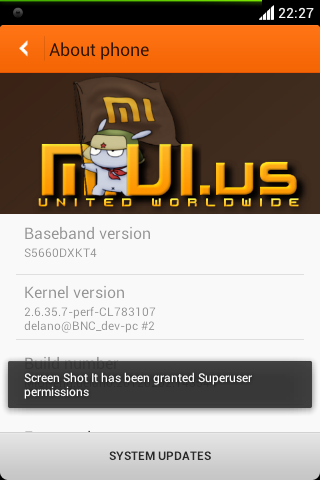
This is about Miui GB base development for our device (Galaxy Gio GT-S5660)
Working:
-Almost all
Not working:
-Still Being tested
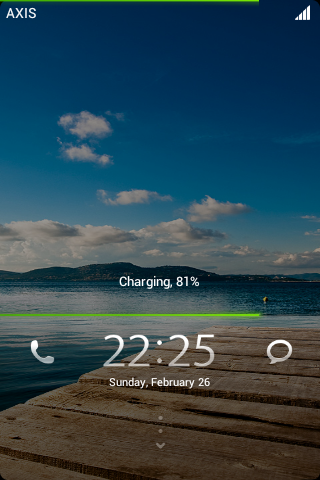
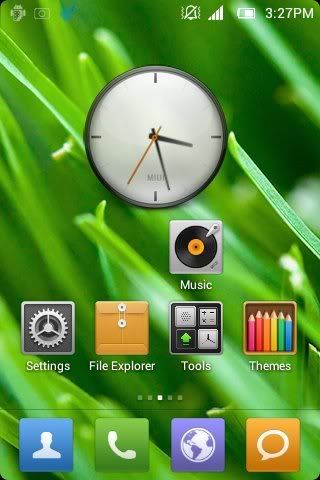
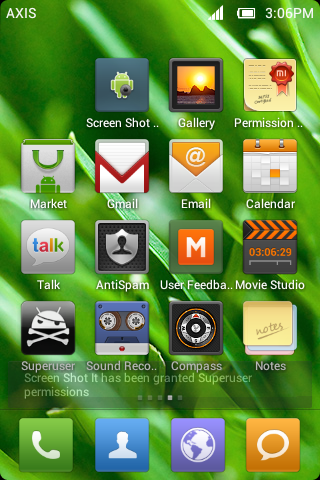
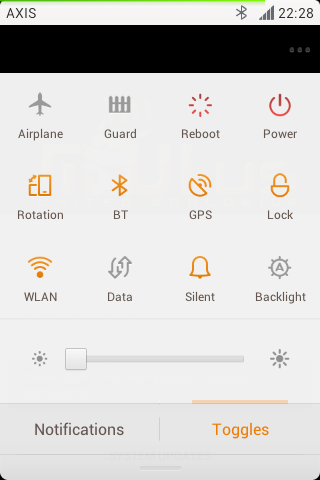
Previews:
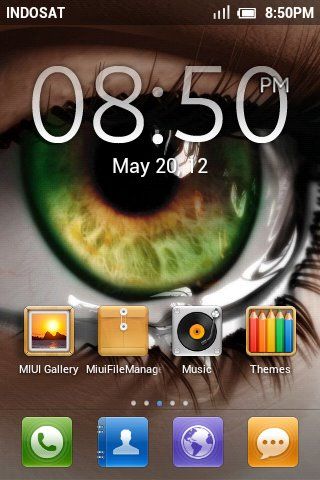
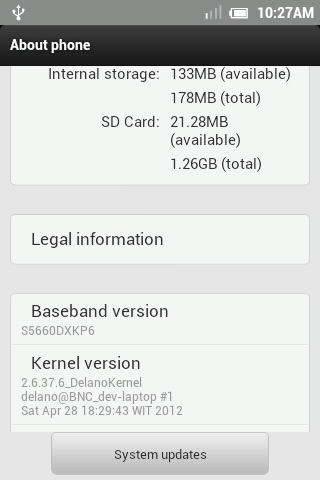
DelanoKernel update 26062012
http://d-h.st/YTh
Changelog of DelanoKernel 26062012
-Just activate & set cf-root automatically, but u can't change any settings.
Cause it has been adapted for Galaxy Gio ^^
Changelog patch v1.0 for 28/05/2012:
-kernel change
-patch & delete some scripts
-s2e compatible
-a2sd works too (tested, see this post)
*Note: To activate CF-root kernel again, u need to do these:
-First way:
Go to terminal emulator, and type
su
-Second way:
Install RootEx and open it
Go to /system, and tap properties.sh [execute it], tap tweaks.sh [execute it]
Changelog 28/05/2012:
replacing wired & wifi tethering
add Custom LS in setting
not much
Update Kernel
How to Install:
Credits & Thx to
- Miui Team
- CyanogenMod Team
- TeamCooper
- BNC & GGC
- Anyone who supports me
Download Link:
DelanoKernel update 2nd
MDhash
9ab36ba91ddc00d829f28f90fe896f80
Patch v1.0a for who faces prob with cf-root [optional]
here
*Install via recovery mode, after u did, execute properties.sh or do from TeMu. .
So, it sets automatically, but, u can't change any settings. .
Cause, just set or activate what works on Galaxy Gio. .
Patch v1.0 for 28/05/2012 [must install]
[MF] Thx to DarkShadow
http://www.mediafire.com/?937a9ib3zeq9001
[DB]
here
MD5SUM
68D72E2AF221562C202ACD60748CCB47
*Install this one (After install patch v1.0 28/05/2012 above) [must install]
here
MD5SUM
5FB900946ED12647C87176CCEDE419F8
UPDATE Second MIUI GB 28/05/2012 [THIRD INSTALL]
[DB]
Here
MD5SUM
8491E7729A498F36CF5C9FBBCACF8512
(Flash via recovery)
From first update > 17/05/2012 & 27/05/2012 (compiled & released)
[SECOND INSTALL]
UPDATE First MIUI GB 27/05/2012 by BNCrew (Especially Thx to Tuxkids & Djade84 for helping so much):
[MF]
Here
MD5SUM
0527F26DA3BBDF76B9A201C687799FF1
(Flash via recovery)
From 17/05/2012 (compiled & released)
17/05/2012 [FIRST INSTALL]
[IDWS]
http://www.indowebster.com/download/files/miui_gb_1st_170512
[MF leech]
here
[MF] Thx to Ikhsan a.k.a Redgoku4 for mirror
http://www.mediafire.com/?w2otcek2z8u3kht
Md5sum
1c75ebe 8dc2be 7c63042 f244445 ab53a
And, here is Patch Carrier Name ^^V [OPTIONAL]
here
MD5SUM
6E9E77894FFC7B33FCB1EF72F140991C
or
here
MD5SUM
CDD81114AB57F392E4D42465F4D1270E
Install this one for who faces problem with Compass
Download here
MD5SUM
9EFE19AE429CAB11780B72EEDC0BA5CA
BONUS [Taken from my D3LL's Gio] [OPTIONAL]
Patch for uv modules & adreno libs
http://d-h.st/yHd
md5sum
73c9767cd7a0949a05c84682ee4420ba
MAKE SURE CHECK YOUR MD5SUM IS MATCH!
Do it @ Your Own Risk!
Thread @GIOCOMM
Working:
-Almost all
Not working:
-Still Being tested
Previews:
DelanoKernel update 26062012
http://d-h.st/YTh
Changelog of DelanoKernel 26062012
- U will see while u are installing it
Changelog of DelanoKernel 2nd
*Tips before flashing this one
- Kernel Improvement & Optimizing with lot of patches
- Change ondemand cpufreq
- More
*Tips before flashing this one
U need to change your governor > lulzactive, and Set on Boot.
Then, go flash it!
And, u will free to change your governor to another one
Changelog patch v1.0a for 28/05/2012:Then, go flash it!
And, u will free to change your governor to another one
-Just activate & set cf-root automatically, but u can't change any settings.
Cause it has been adapted for Galaxy Gio ^^
Changelog patch v1.0 for 28/05/2012:
-kernel change
-patch & delete some scripts
-s2e compatible
-a2sd works too (tested, see this post)
*Note: To activate CF-root kernel again, u need to do these:
-First way:
Go to terminal emulator, and type
su
cd /system
sh properties.sh
sh tweaks.sh
reboot
-Second way:
Install RootEx and open it
Go to /system, and tap properties.sh [execute it], tap tweaks.sh [execute it]
Changelog 28/05/2012:
replacing wired & wifi tethering
add Custom LS in setting
not much
Changelog 27/05/2012 :
Update Kernel
CyanogenMod settings --- MIUI settings
CM settings --- MIUI settings
Bootloader --- Download (tuxkid)
Settings/System/MIUI settings/system/View changelog --- Settings/System/Miui settings/Changelog
Folder (Chinese) --- Tools
Recent & search (Chinese) --- english
MIUI Logo (Chinese) --- MIUI logo english
delete other settings
MIUIFileManager --- FileExplorer
MIUIGallery --- Gallery
Fix clock widget
Fix statusbar background while u are using theme
Center clock (tuxkid)
status icon mod (tuxkid)
Patch for carrier logo (tuxkid)
DSP Manager --- MIUI setting/Sound
Tweak & noFrillsCPU --- MIUI settings/performance
SUperSU --- MIUI settings/application
SimToolkit --- System settings
delete Statusbar tweak (not work)
Custom carrier name --- MIUI setttings/insteface/
delete settings/programs/
CM settings --- MIUI settings
Bootloader --- Download (tuxkid)
Settings/System/MIUI settings/system/View changelog --- Settings/System/Miui settings/Changelog
Folder (Chinese) --- Tools
Recent & search (Chinese) --- english
MIUI Logo (Chinese) --- MIUI logo english
delete other settings
MIUIFileManager --- FileExplorer
MIUIGallery --- Gallery
Fix clock widget
Fix statusbar background while u are using theme
Center clock (tuxkid)
status icon mod (tuxkid)
Patch for carrier logo (tuxkid)
DSP Manager --- MIUI setting/Sound
Tweak & noFrillsCPU --- MIUI settings/performance
SUperSU --- MIUI settings/application
SimToolkit --- System settings
delete Statusbar tweak (not work)
Custom carrier name --- MIUI setttings/insteface/
delete settings/programs/
Font update
How to Install:
1. Download & Place this rom on your root sdcard
2. Go to recovery mode
3. Wipe data/cache (factory reset)
4. Install zip from sdcard, install rom (cwm)
| Install menu, install rom (RZR)
5. Wait till installation completed
6. Reboot & Enjoy it! ;)Credits & Thx to
- Miui Team
- CyanogenMod Team
- TeamCooper
- BNC & GGC
- Anyone who supports me
Download Link:
DelanoKernel update 2nd
MDhash
9ab36ba91ddc00d829f28f90fe896f80
Patch v1.0a for who faces prob with cf-root [optional]
here
*Install via recovery mode, after u did, execute properties.sh or do from TeMu. .
So, it sets automatically, but, u can't change any settings. .
Cause, just set or activate what works on Galaxy Gio. .
Patch v1.0 for 28/05/2012 [must install]
[MF] Thx to DarkShadow
http://www.mediafire.com/?937a9ib3zeq9001
[DB]
here
MD5SUM
68D72E2AF221562C202ACD60748CCB47
*Install this one (After install patch v1.0 28/05/2012 above) [must install]
here
MD5SUM
5FB900946ED12647C87176CCEDE419F8
UPDATE Second MIUI GB 28/05/2012 [THIRD INSTALL]
[DB]
Here
MD5SUM
8491E7729A498F36CF5C9FBBCACF8512
(Flash via recovery)
From first update > 17/05/2012 & 27/05/2012 (compiled & released)
[SECOND INSTALL]
UPDATE First MIUI GB 27/05/2012 by BNCrew (Especially Thx to Tuxkids & Djade84 for helping so much):
[MF]
Here
MD5SUM
0527F26DA3BBDF76B9A201C687799FF1
(Flash via recovery)
From 17/05/2012 (compiled & released)
17/05/2012 [FIRST INSTALL]
[IDWS]
http://www.indowebster.com/download/files/miui_gb_1st_170512
[MF leech]
here
[MF] Thx to Ikhsan a.k.a Redgoku4 for mirror
http://www.mediafire.com/?w2otcek2z8u3kht
Md5sum
1c75ebe 8dc2be 7c63042 f244445 ab53a
And, here is Patch Carrier Name ^^V [OPTIONAL]
here
MD5SUM
6E9E77894FFC7B33FCB1EF72F140991C
or
here
MD5SUM
CDD81114AB57F392E4D42465F4D1270E
Install this one for who faces problem with Compass
Download here
MD5SUM
9EFE19AE429CAB11780B72EEDC0BA5CA
BONUS [Taken from my D3LL's Gio] [OPTIONAL]
Patch for uv modules & adreno libs
http://d-h.st/yHd
md5sum
73c9767cd7a0949a05c84682ee4420ba
MAKE SURE CHECK YOUR MD5SUM IS MATCH!
Do it @ Your Own Risk!
Thread @GIOCOMM